Releasenotes February 2025
Cash & Card Module
Standard Global coverage for online payments
Online payments made with the Elari Card now come with standard global coverage. This reduces the likelihood of errors, such as declined transactions due to card setting restrictions. Security remains our top priority, which is why we continue to use 3D Secure (3DS) to ensure optimal payment protection.
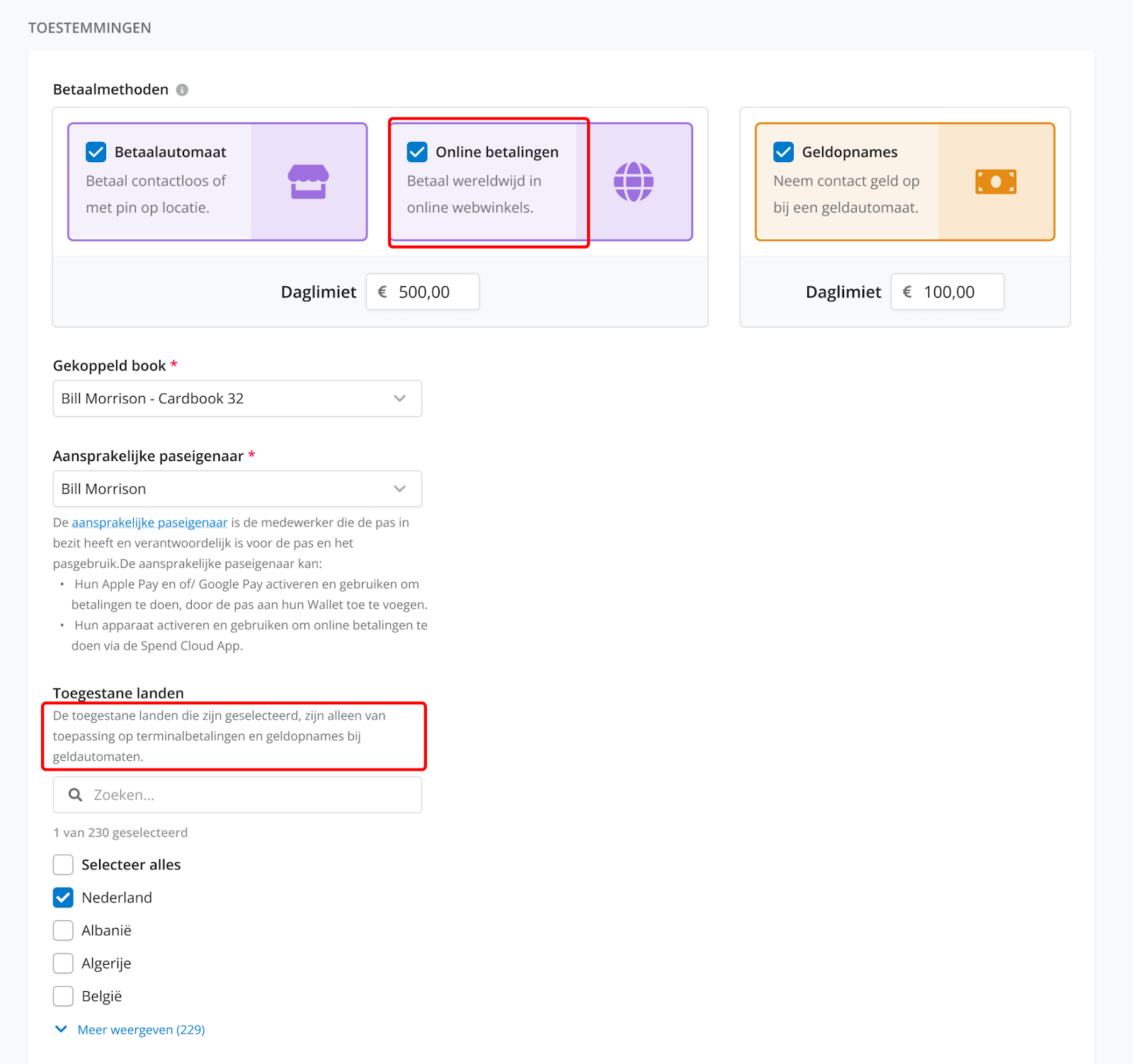
However, countries designated as unsafe remain excluded from this global coverage. For more details, please refer to this Knowledge base article.
Activating a replacement Elari Card
If you have received a replacement Elari Card, you can now activate it yourself as the designated cardholder, both via the web and app versions of Elari. This can be done without the intervention of the Cash & Card administrator. However, the administrator still has the option to activate the card via the web version.
The designated cardholder will receive a confirmation email in the following cases:
- When a replacement Elari Card has been requested.
- When the replacement Elari Card has been activated.
Additionally, in the web version of Elari, replacement cards will no longer appear as a second card in the card overview. Instead, they will be merged with an already activated card, with an extra icon for clarification.
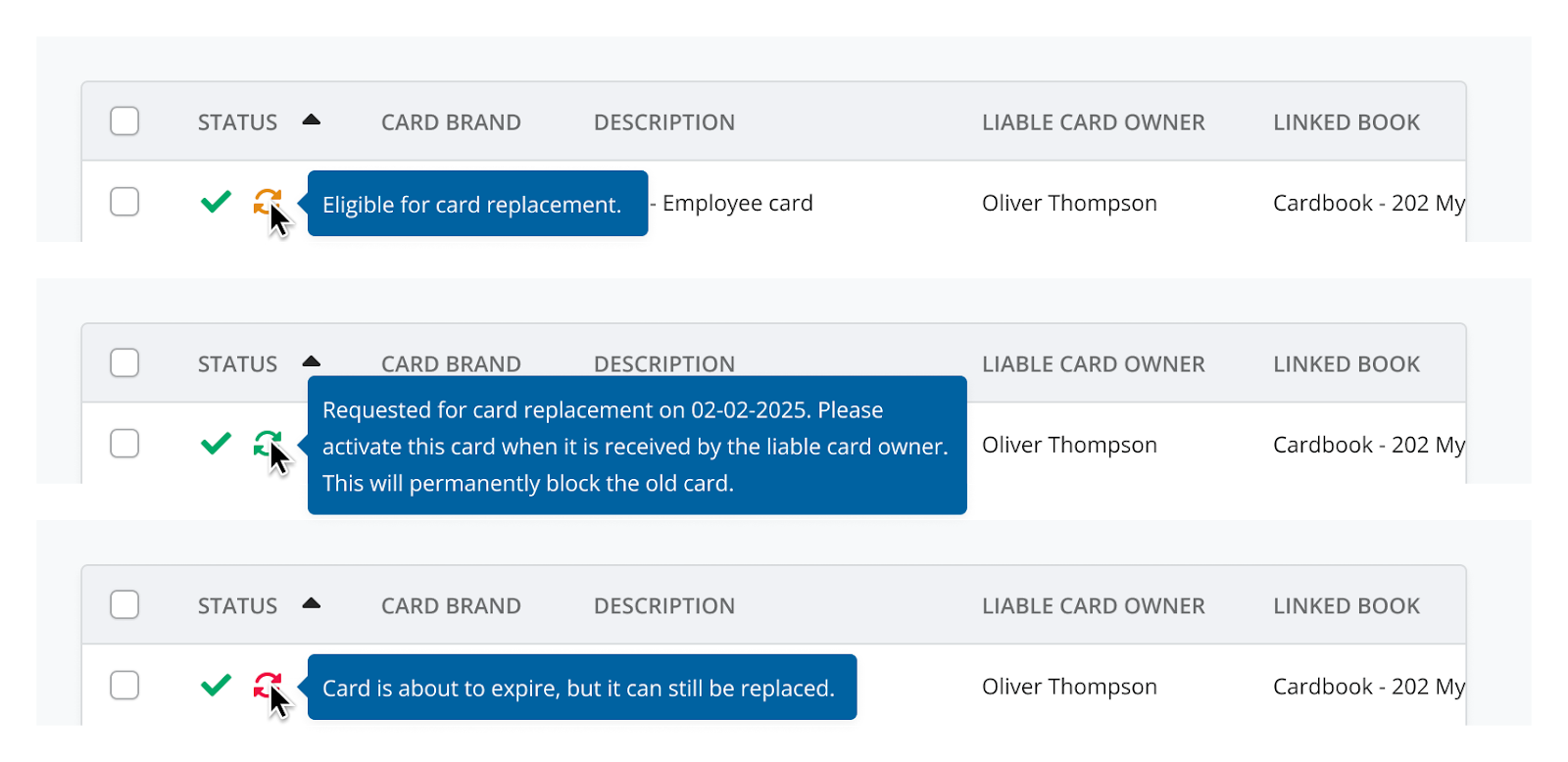
Upon receiving the card, the card number can also be found on the envelope window.

The above update applies only to Elari Cards and not to bunq cards.
Liable card owner
Your Elari Card (both new and replacement cards) can only be activated once a liable card owner
has been assigned and a ledger has been linked. This ensures clear accountability for the card, allowing the responsible individual to activate Apple Pay and Google Pay and confirm online payments via the app.
has been assigned and a ledger has been linked. This ensures clear accountability for the card, allowing the responsible individual to activate Apple Pay and Google Pay and confirm online payments via the app.
Elari App
Google Pay now available for all Elari Android users
Do you have an Android phone and the Elari App? You can now add your Elari Card to your phone’s wallet, allowing you to make in-store payments easily with your digital wallet instead of your physical card. This is powered by Google Pay. Read this Knowledge base article
to learn how to set up Google Pay.
to learn how to set up Google Pay.
Confirming Online Payments
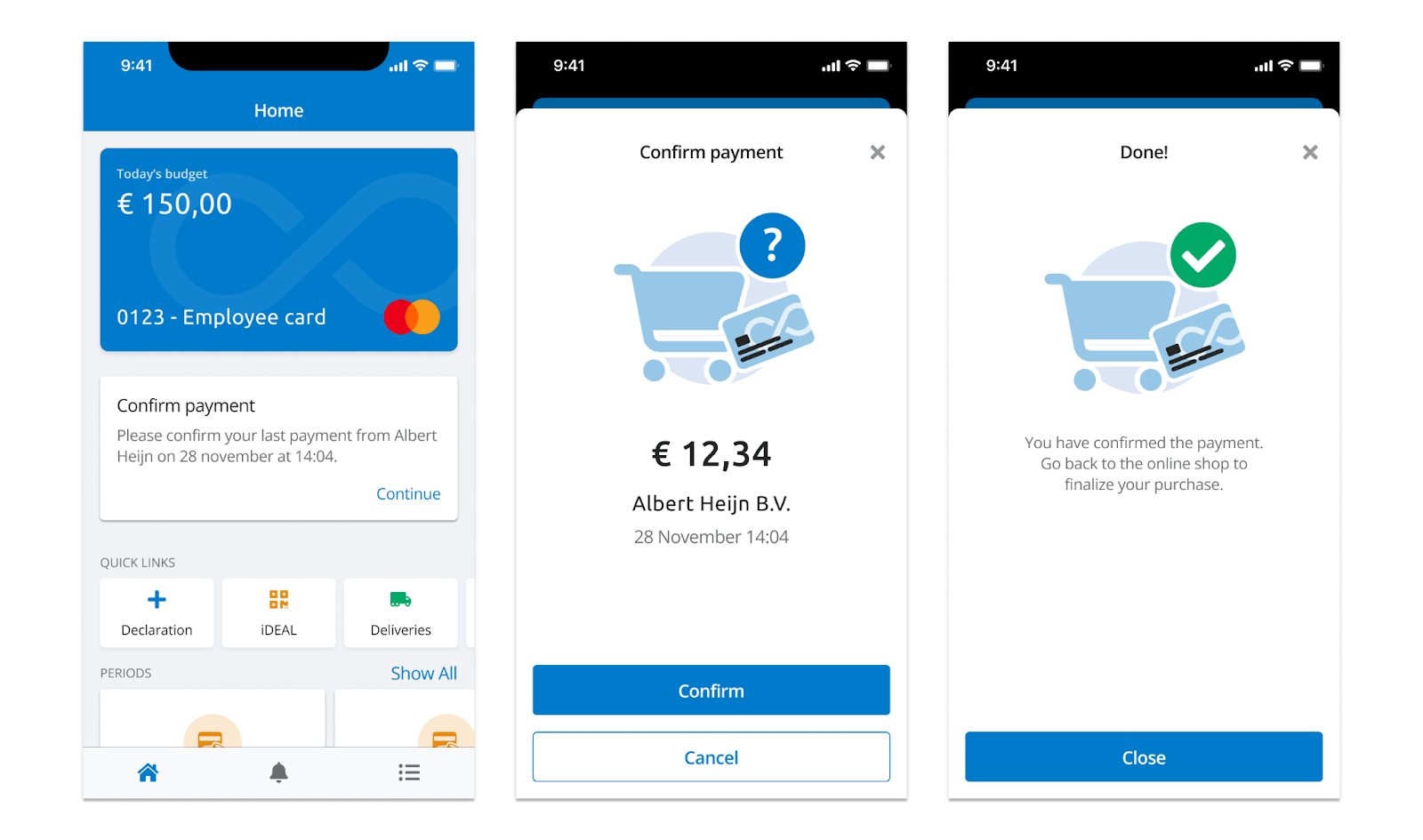
From now on, you can confirm online payments not only via push notifications but also directly from the dashboard. If you miss a push notification, you can always find the confirmation on your dashboard.
Payment details
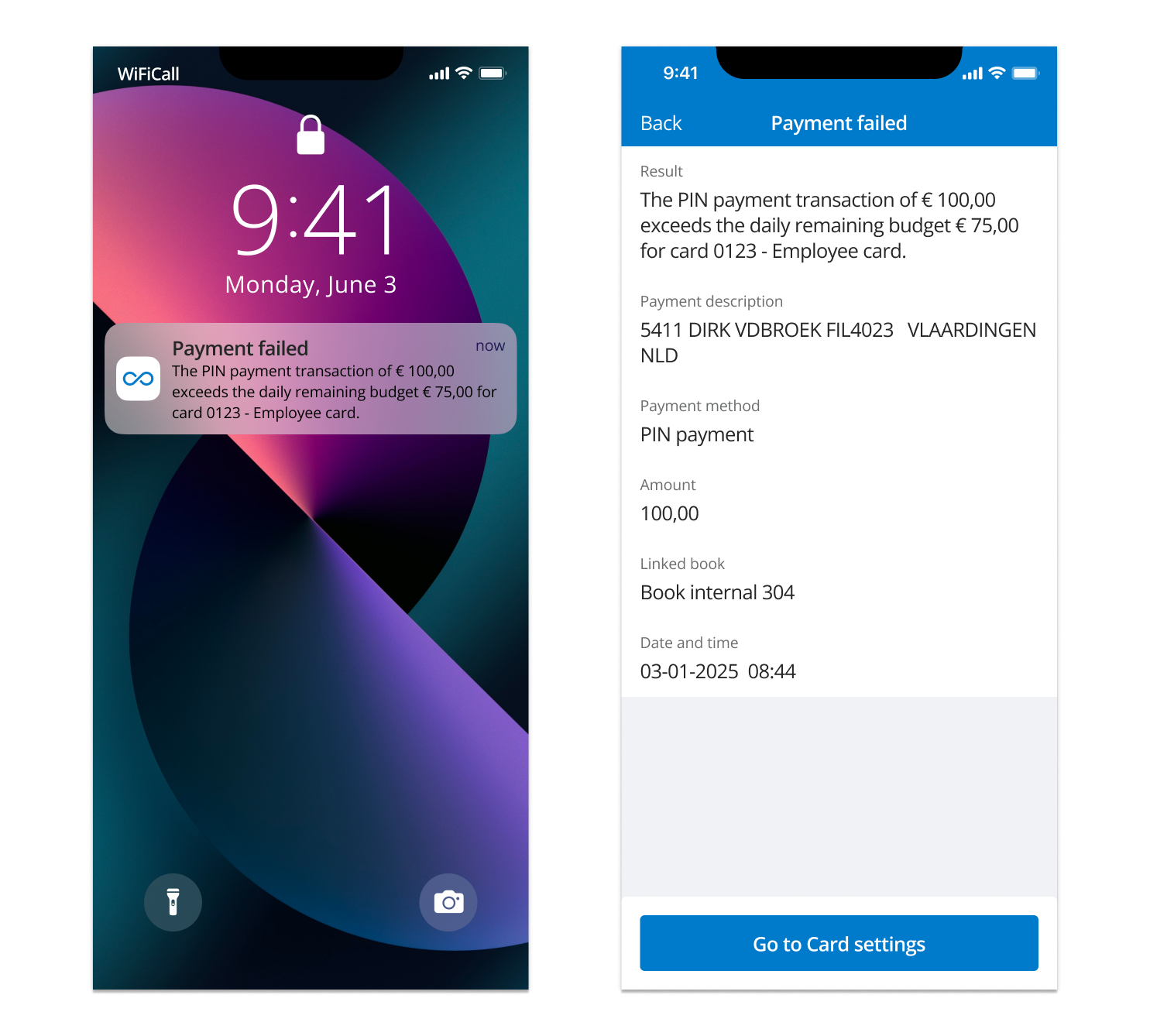
If a payment fails, you will immediately receive a push notification with the reason. If the issue is due to exceeding the card limit or insufficient balance, tapping the notification will automatically redirect you to a screen with additional transaction details. See an example here:
Invoice Processing Module
The improved AI-driven solution (Smartscan) is now the standard in invoice processing
Invoice processing in Elari is now smarter and more efficient than ever. With advanced AI-powered text recognition, relevant invoice details are automatically extracted and pre-filled in the coding menu. Whether an invoice is manually uploaded or received via the mailbox, this enhancement speeds up processing while reducing manual effort.
Additionally, we have introduced a feedback loop to continuously improve recognition accuracy. When an invoice is exported, the final invoice data is fed back into the system to refine future processing. This means fewer corrections and an increasingly efficient workflow.
Read more about this functionality in the Knowledge base article.
General
Improved design for notification emails
For actions such as requesting a new password, you automatically receive system-generated emails from Elari. Based on user feedback, we have redesigned these emails to better align with the fresh look and feel of Elari. In addition to a more modern design, the content has also been improved: subject lines and text are now clearer and more concise, and you are directly linked to the relevant section in Elari. This applies to all system-generated emails you receive. This improvement has now been activated across all environments.
Read more about this update in the Knowledge base article.
Elari Tip!
Accelerating the invoice processing workflow doesn’t have to be complex or time-consuming. Within the relationship settings, there is an option to skip the Encoding step for fully pre-coded invoices. This means that after arriving in the Mailbox, the invoice is sent directly to the Reviewer.
This feature saves the finance team significant manual work while maintaining control. Encoding is typically pre-set by those with the right expertise, while the reviewer can still perform a final check before invoices are (automatically) exported.
Want to enable this setting for all relationships? Read more in the Knowledge base.
Coming soon
More efficient invoice coding with smart suggestions
To further streamline invoice coding, we are continuously improving the process. Using intelligent suggestions based on historical data, Elari will offer recommendations, such as proposing a general ledger account based on frequently used entries. This helps speed up invoice processing while minimizing manual input.